Q.wiki now has a new semantic search. This means you can find content even when you don't use the exact wording. Typos, different word forms, or alternative phrasing no longer matter.
What changes
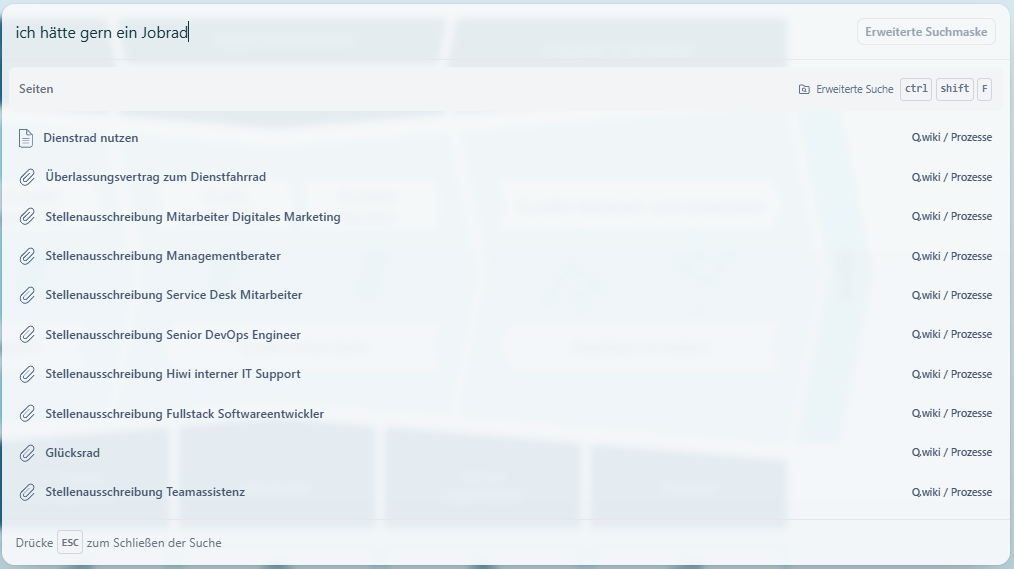
With semantic search, Q.wiki understands the meaning behind your search query – regardless of how precisely you phrase it. You're looking for a specific process description but can't quite remember the title? No problem. The new search will still help you find it.
The new capabilities
Flexible with word forms and spelling
Whether you type "request leave" or "leave request" – you'll find the right process. The search recognizes both variations.
Understand multiple languages
The new search understands German terms, English terms, and many other languages. If you use a multilingual search query, Q.wiki shows you the matching results – no matter which languages you mix.
State-of-the-art search technology
The new search brings Q.wiki to the level of Google, Outlook, or social media platforms. It adapts to how you naturally search. This makes working in Q.wiki faster, more intuitive, and more efficient.
Try it now
Enter a term in the search bar that you used to struggle to find. You'll be surprised at how well Q.wiki understands you now.
Was this article helpful?
That’s Great!
Thank you for your feedback
Sorry! We couldn't be helpful
Thank you for your feedback
Feedback sent
We appreciate your effort and will try to fix the article